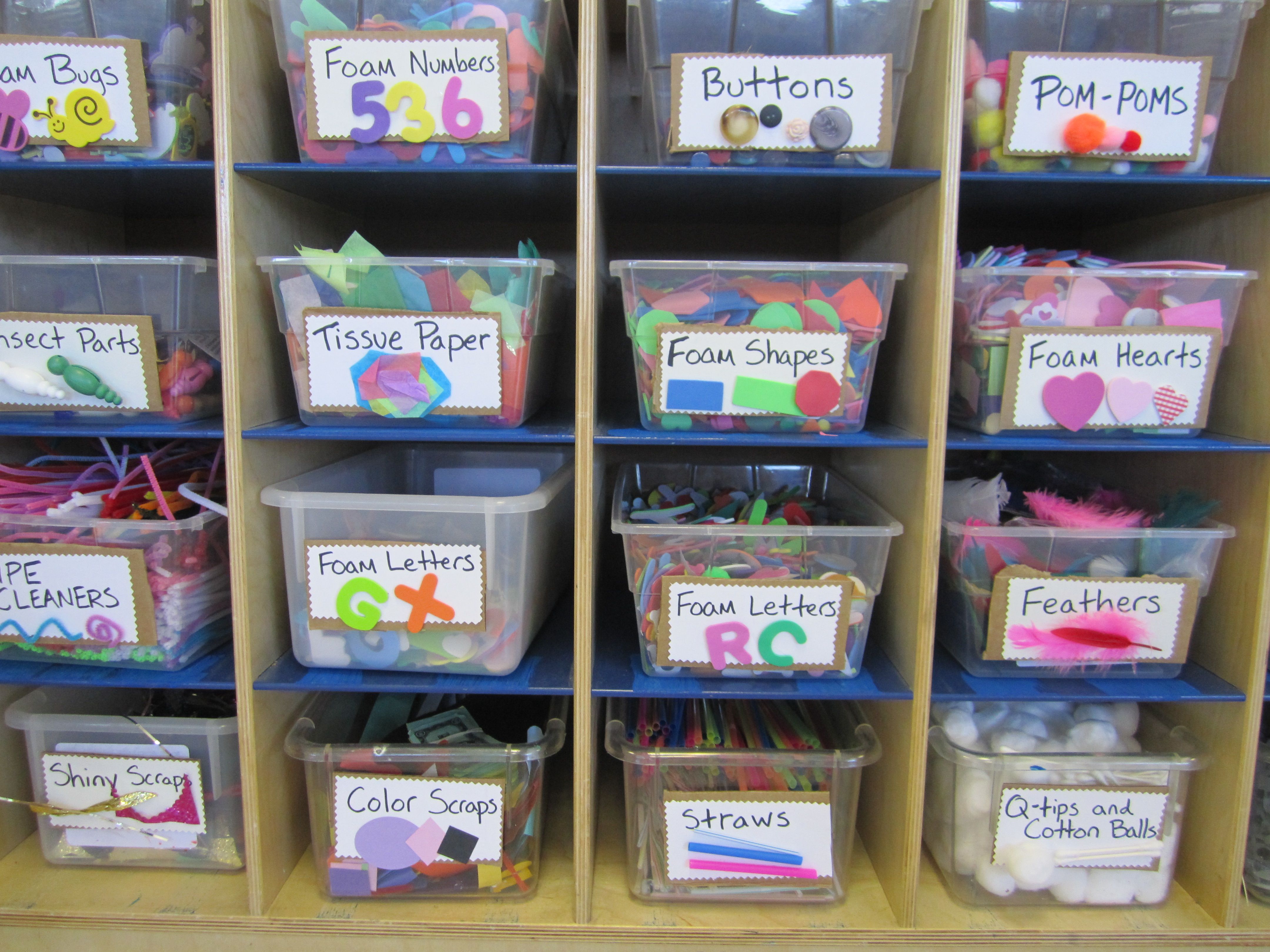
We have all been there. You get a sudden burst of midnight inspiration for a brand new project. You know you have the perfect shade of dusty blue yarn, or that exact pack of 6mm glass beads. So, you dive into your closet, pull out three different plastic storage tubs, and start digging.
An hour later, your floor is a disaster zone, your creative spark is completely gone, and guess what? You still haven't found the beads.
When you love arts and crafts, raw materials are your fuel. But lets be real: accumulating supplies is practically it's own separate hobby! the Trouble starts when our collections outgrow our memory. If you find yourself buying duplicate items simply because the originals are buried at the bottom of a mystery tote, it's time to stop hunting and start mapping.
Here is how you can use digital inventory tracking to turn your chaotic supply pile into a streamlined, stress-free maker space.
Step 1: Give your Bins an Address
First things first: stop trying to remember which box holds what. Get yourself a collection of clear plastic totes and give each one a simple, unique number or name.
Instead of just stacking them randomly in the corner, map out their permanent homes using a system like Binmange. In the app, you can create precise locations like:
- "Craft Closet - Shelf 1 - Bin A"
- "Under Desk - Rolling Cart - Drawer 3"
By giving your containers a digital address, you instantly eliminate the guesswork. You don't need a massive studio space for this to work; even a small bedroom closet feels twice as big when you know exactly what is sitting on the top shelf.
Step 2: Master the Art of Creative Tagging
Standard inventory systems use strict labels like "Item SKU 402" That doesn't really work for creative brains! Crafters need to search for things based on how they actually think. This is where a customizable Tagging System becomes your ultimate superpower.
- By Project Type: Tag items with "Holiday Crafts", "Etsy Shop Stock", or "Sunday Knitting".
- By Material & Texture: Use tags like "100% Cotton", "Watercolors", "Chunky Yarn", or "Glow in the Dark".
- By Color Palette: Group your aesthetics together with tags like "Pastels", "Autumn Vibes", or "Neon Neon".
The magic happens when you combine them. Want to see every piece of fabric you own that fits a cozy autumn aesthetic? Just filter by your "Autumn Vibes" tag, and your digital catalog will show you exactly which bins to open.
Step 3: Take "Sneak Peek" Photos Before you Pack
How many times have you unsealed a taped box just to peek inside and see if it holds the right fabric pattern?
Save your fingernails and use Photo Documentation. Every time you pack a bin or add a unique bundle of supplies, snap a quick picture directly through your phone's camera and attach it to that digital bin profile.
[ Your Phone App ]
📦 Bin #14: "Knitting Totes"
📍 Location: Closet Floor - Left Side
🏷️ Tags: #Yarn, #Wool, #WinterProjects
📷 [Photo of 6 skeins of emerald green wool yarn]
The next time you are sitting on the couch planning a design, you can scroll through your phone, see visual previews of your actual inventory, and know exactly what your materials look like without making a single mess.
Stop Digging, Start Making
Your creative time is precious. Don't waste twenty minutes of it digging through dusty bins or running to the local craft store to buy a tool you already own. By taking a few seconds to digitally snap a picture, tag your materials, and assign your boxes a home, you protect your creative energy.
Keep your supplies organized, keep your counters clear, and let your inventory app do the remembering for you!
Organize your supplies now! Try Binmanage Free